
Schedule
The weekly board of blocks for each activity, and how to change it.
The Schedule shows a block for each activity: Inbox check, Replies, Invitations, 1st-degree messages, Likes, Comments and InMail. One activity runs at a time, inside your working hours, with a midday break.
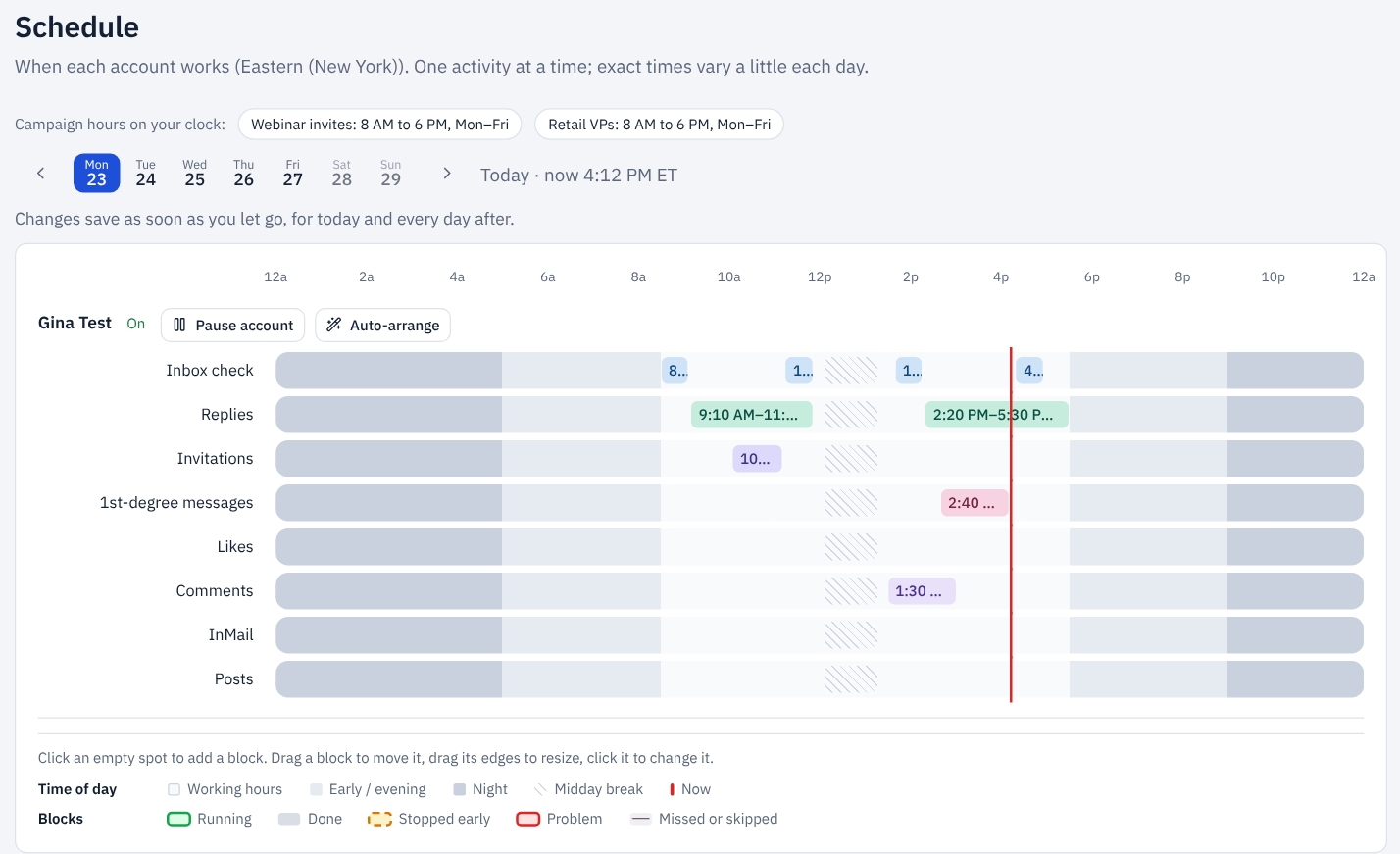
- Click a block to change its start and end, the gap between actions, and which campaigns it works on.
- Skip Today or remove a block for today only or every day.
- Auto-arrange lays the blocks out by campaign hours, your working day or time of day.
- Run now starts an activity by hand.
Stopped early, missed or skipped
A block can stop early when it has done its work or reached a limit. If an inbox check comes due during a long block, that block steps aside after the current person so the inbox is read. A block is "missed" only when it never got its turn, and the reason is shown.
Keep at least one Inbox check and one Replies block each day, so replies are read and your approved answers go out.