LinkedIn limits and account safety
Daily, weekly and monthly limits, the levels we consider safe, and what happens when one is reached.
The LinkedIn limits section on Schedule shows, for each limit: used so far, where the agent stops, the level we consider safe, and where risk starts.
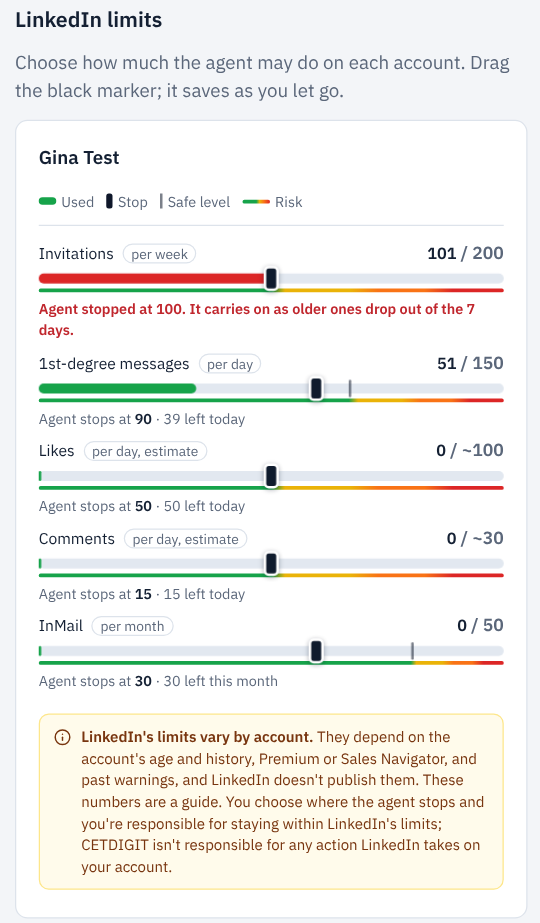
- Levels we consider safe today: 100 invitations a week, 100 messages to 1st-degree connections a day, 40 InMails a month, 50 likes a day and 15 comments a day.
- The highest the app allows: 200 invitations a week, 150 messages a day and 50 InMails a month.
- When a limit is reached, the related blocks are skipped until the next day, week or month. That is normal, not a problem.
If LinkedIn shows a warning or a check, the agent pauses the account and tells you on To do. No tool can guarantee how LinkedIn treats an account.